
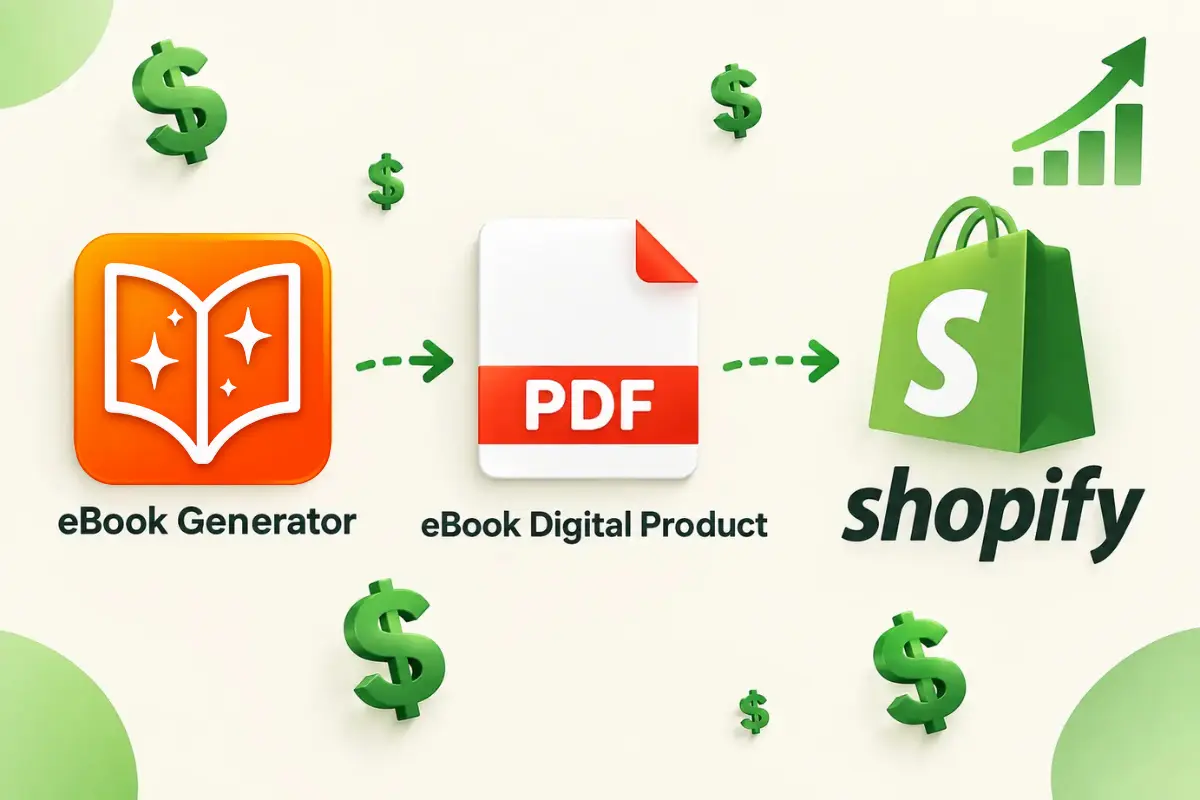
Selling digital products on Shopify is one of the most effective ways to build a business without the overhead of inventory, shipping, or packaging. PDF ebooks remain one of the most popular digital products because they are straightforward to create, deliver instantly, and offer near-perfect profit margins. But the process of moving from a rough draft or collection of online content to a polished, sellable PDF ebook involves several important decisions that can affect the quality of your product, your store’s reputation, and your overall sales.
This guide walks through exactly how to create a digital product PDF ebook to sell on Shopify—from structuring your content and designing the interior to formatting the final file and uploading it to your store. Whether you are starting from scratch or repurposing existing material you already own, you will learn practical steps to produce a professional ebook that customers are willing to pay for.
Why PDF Ebooks Work Well on Shopify
Before you start assembling content, it helps to understand why PDF ebooks are such a natural fit for this platform.
Shopify is built for commerce. It does not inherently create, format, or package your digital files. Instead, it relies on you to upload a finished product that customers can download after checkout. PDF is the standard format for this because it preserves your layout, fonts, and images across every device. Unlike Word docs or Google Docs, a PDF looks exactly the same whether your customer opens it on a laptop, tablet, or smartphone.
PDF ebooks are also practical from a customer perspective. Most people already have a PDF reader installed on their devices. There is no need for special software, no mandatory account creation, and no learning curve. If you offer a well-structured, visually clear PDF, your customers can immediately access and use the content they paid for.
On top of these technical benefits, ebooks have broad commercial appeal. They can serve as lead magnets, entry-level products, or premium guides depending on how you price and position them. For a Shopify store, a $10–$50 ebook can introduce customers to your brand while building trust and generating revenue that does not require restocking.
Step-by-Step Guide to Creating Your PDF Ebook
Creating a professional ebook is more than just writing content and clicking “Save as PDF.” Use the steps below to work through the process systematically.
- Step 1: Define your topic and target reader. Choose a subject that addresses a specific problem your audience has. Avoid trying to cover everything at once. A narrow topic that is thoroughly explained is far more valuable than a broad topic that feels shallow.
- Step 2: Gather and organize your source material. Your content can come from blog posts you have written, transcripts of videos, AI conversations, research notes, or entirely new writing. Collect everything in one place so you can structure the ebook before you begin formatting.
- Step 3: Outline your chapters and sections. Write a clear chapter-by-chapter outline that logically guides the reader from problem to solution. Include action steps, examples, or worksheets where relevant.
- Step 4: Write or compile the content. Draft each chapter in full. If you are reusing existing web content, ensure it still reads coherently as a standalone document rather than a series of disconnected posts. Modify transitions and add new context so the content flows well in sequence.
- Step 5: Design your interior pages. Use consistent headings, readable fonts, and enough white space. Include page numbers, a table of contents, and clear chapter breaks. Your goal is a clean reading experience, not a visually crowded document.
- Step 6: Create a professional cover page. The cover is the first thing buyers see in your Shopify product listing. Even if the interior content is excellent, a weak cover can make the product look low quality. Keep the design clean, legible at thumbnail size, and aligned with the topic.
- Step 7: Export to PDF. Use your word processor or design tool to generate a high-quality PDF. Check that fonts are embedded, images appear correctly, and page sizes are consistent.
- Step 8: Test the PDF file yourself. Open it on multiple devices if possible. Verify the file downloads correctly and that all links and navigation, such as the table of contents, are functional.
Content Sources and Repurposing Options
Many Shopify sellers mistakenly believe they must write an entire ebook from zero. In practice, some of the strongest digital products are assembled from content that already exists. If you have a blog, a YouTube channel, or a collection of detailed AI conversations, you can repurpose those materials into a paid product.
However, simply exporting a blog article to PDF is not enough. Ebook buyers expect a structured guide, not a printout of a website. To create a proper digital product PDF ebook to sell on Shopify, you must reorganize the content into chapters, add a table of contents, and ensure the material feels like a complete, self-sufficient publication. That may mean rewriting introductions between topics, adding new examples, or removing references that only make sense within their original context.
If you are using web content—such as a series of blog tutorials you wrote years ago—you will first need to extract the text and images from your website into an editable document. Copying and pasting sections one by one is time-consuming and prone to formatting problems. Menus, sidebars, and site footers can clutter your document, and styling often does not transfer cleanly.
Converting Web Content into a Sellable Ebook
Because this article is published on the eBook Generator blog, it is worth taking a moment to explain how web content can be turned into a clean working file before you finalize your Shopify digital product.
When you are repurposing a series of posts from your own site, you want the underlying article text, not the surrounding site layout. A tool like eBook Generator can help with this by automatically identifying the main content of a webpage and excluding navigation, advertisements, and other unrelated page elements. This is called Auto Extract, and it saves you the tedious work of clearing out page clutter manually.
If you are compiling a longer ebook and only need certain sections from different webpages, eBook Generator also lets you select individual blocks of content—such as paragraphs or images—rather than an entire page. That is a practical way to build a focused document where every piece of content earns its place.
Formatting Your PDF for a Professional Finish
The formatting stage often separates a bestseller from an amateur attempt. Customers can sense when an ebook has been thrown together without care. To make a digital product PDF ebook to sell on Shopify that reflects well on your brand, pay close attention to the details below.
- Use a single font family for body text. Avoid mixing too many typefaces; it creates visual noise and undermines readability. Stick with one or two clean fonts that work well across devices.
- Set a consistent page size. A4 and US Letter are the most common choices. Pick one and apply it throughout the PDF file.
- Include margins and spacing. Do not cram text to the edges of the page. Generous margins and space between paragraphs make the reading experience significantly more pleasant.
- Create a clickable table of contents. If your PDF reader supports internal links—and most modern versions do—this is an expected feature in any quality digital product. It helps readers jump directly to the chapters they need.
- Choose readable text sizes. Content that looks too small on a desktop screen will be impossible to read on a phone. Use a comfortable base font size, usually 11 or 12 points, and scale headings accordingly.
- Compress image files before export. Large, high-resolution photos can make your download file heavy. Reduce the file size wherever possible so your customers are not staring at a multi-hundred-megabyte download.
These choices matter because the finished PDF represents the product you are charging money for. Attention to formatting is not cosmetic—it is part of the perceived value.
Using eBook Generator for This Workflow
If you are building an ebook from content that lives online, it is worth introducing eBook Generator more directly now. The product is designed for exactly the situation where your source material spans multiple webpages or exists in a longer, disorganized format online.
Instead of manually copying text from your browser, pasting it into a document, and then spending time stripping out unwanted page elements, you can use a web-to-PDF workflow that preserves the content structure and lets you edit the result afterward. This is particularly useful when your ebook is assembled from a collection of tutorials, guides, or research articles you have authored.
The platform offers practical flexibility depending on what you are capturing:
- When you want the complete article body from a page, Auto Extract helps identify the core content while filtering out the noise.
- When you are assembling a book from selected sections of different pages, Block Select lets you avoid unnecessary chapters or unrelated commentary.
- When your page contains a visually specific section—such as infographics mixed with explanatory text—Freeform Select allows you to draw around exactly the area you want to include in your document.
That level of control is valuable when you are creating a serious, curated publication rather than pasting an entire webpage into your final product.
Uploading and Selling Your Ebook on Shopify
Once your PDF is polished, you need to configure your Shopify store to sell it as a digital product. Here is how the process typically unfolds.
First, sign in to your Shopify admin. From the Products section, create a new product. You will supply a title, description, and images—your ebook’s cover usually works best as the product image, along with sample pages showing the interior layout.
Next, attach the actual PDF file as a digital download. In Shopify, digital products are commonly handled through the built-in file upload field or via a dedicated digital download app. If you do not want to pay for an app, Shopify’s native product upload allows you to attach a file that customers can download after purchase. Keep in mind that larger files may have upload limits, which is another reason to keep your PDF file size manageable.
Set your pricing strategy. Many ebook sellers use a price range of $9 to $49 for a standard guide. If your ebook is comprehensive, in-depth, and supported by strong marketing, you can price higher. Consider what your audience expects and what kind of perceived value your product delivers.
Finally, write a product description that clearly communicates what is included, who it is for, and what the reader will be able to do after finishing it. Your description should sell the outcome—not just list the chapters.
Tips and Best Practices
Use these recommendations to avoid common pitfalls and strengthen your Shopify ebook launch.
- Buy your own product as a test. Place a test order to confirm the download link works correctly and the PDF file opens without issues. This is the only reliable way to experience what your customer will experience.
- Create a preview PDF. Offer a clearly marked sample—usually the first chapter or a few pages—so shoppers can see the content’s quality before purchasing. This reduces hesitation and increases conversion.
- Make your product page content-specific. Instead of vague phrases like “Learn proven strategies,” describe what specific chapters cover and what tangible outcome your reader will achieve.
- Invest in a simple professional cover. Do not use a low-resolution or text-heavy cover that becomes illegible at small sizes in the Shopify layout.
- Keep the file size reasonable. Compress images and avoid unnecessary multimedia elements that do not translate well in PDF. Most ebooks should come in well under 10 MB unless heavily illustrated.
- Offer a clear refund or support process. Digital products cannot be “returned,” but clearly stating how you handle issues, such as corrupted downloads, builds trust.
Common Mistakes to Avoid
Many sellers make preventable mistakes when they launch their first PDF ebook on Shopify. Identifying these errors early saves you time and customer frustration.
Mistake 1: Uploading a Word document instead of a PDF. Text can shift formatting depending on the device and the customer’s software. A PDF, by contrast, displays exactly as you designed it—this is why it is the standard for digital books.
Mistake 2: Forgetting to test the customer download experience. Broken download links, expired files, or incorrect file attachments are common problems that generate refund requests. Test the process completely before going live.
Mistake 3: Selling content that has no clear structure. A wall of text with no headings, chapters, or logical flow will feel like a blog article and probably not be worth your price in the customer’s eyes. Structure your content into a genuine book format.
Mistake 4: Ignoring mobile readability. Many customers will read your ebook on their phone. If you have not checked how your PDF looks on a smaller screen, you may be delivering an unusable product.
Mistake 5: Using web host clutter in your content. If your content comes from webpages, ensure no links, menus, site text, or unrelated images bleed into your final document. It looks unprofessional and signals low production value.
Frequently Asked Questions
What is the easiest digital product to sell on Shopify?
PDF ebooks are among the easiest because they require no inventory, no shipping, and no special equipment to deliver. Once you have created the file, you can sell an unlimited number of copies with virtually no marginal cost.
Do I need a Shopify app to sell digital products?
Not necessarily. Shopify allows you to attach a digital file directly to a product upload. However, if you want more advanced features like limited download counts or split commission files, you may consider a certified digital product app.
Can I sell the same ebook on other platforms like Etsy?
Yes. The same PDF file can be repurposed for Etsy, Gumroad, or your own website. Make sure to adapt the product listing to the platform’s audience and style.
How long does it take to create a PDF ebook?
It depends on your existing material. Writing a brand-new 50-page guide from scratch might take a couple of weeks. Repurposing a series of your own blog posts into a structured ebook could be done in several focused days.
What tools can help turn web content into a PDF ebook?
If you have a collection of webpages that you want to convert into an editable document for your ebook, tools designed for web-to-PDF conversion are useful. eBook Generator, for example, can capture the main content from a page, select specific sections, or draw a selection around defined visual areas, making it easier to build your source file without the surrounding website clutter.
Should my ebook cover be included in the PDF file itself?
It is common practice to include the cover as the first page of your PDF. Just remember that Shopify marketing images—the ones displayed on the product listing—are separate fields where you can upload a high-resolution version of the cover for promotional purposes.
Conclusion
Creating a digital product PDF ebook to sell on Shopify is a realistic and profitable way to generate online income from your expertise. By structuring content carefully, formatting your PDF for readability, and testing the download process, you can offer a polished product that matches customer expectations.
If part of your material lives as web content that you need to clean up and reformat, a tool like eBook Generator can reduce the manual labor involved in pulling articles, tutorials, or sections from multiple pages. Once your document is organized and polished, export the final PDF, upload it confidently, and let your Shopify store do the rest.